

Compliance Built for Power Apps Business Operations
How an Egypt-Ready Invoice Moves Through Microsoft Power Apps
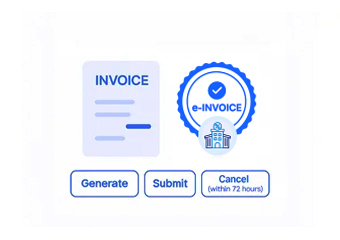
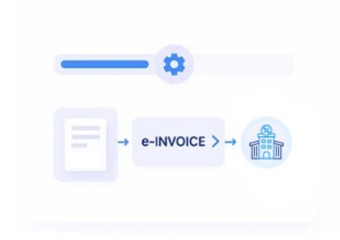
- Capturing the Sale: As soon as a billing entry is submitted through a Power Apps solution, Advintek retrieves it for Egyptian processing right away — no export, no manual step.
- Checking ETA Requirements: That entry then sits in Advintek’s review queue, checked against ETA’s standards.
- Reformatting to JSON: The app’s output is restructured into the JSON schema ETA mandates, so layout is never the cause of a rejection.
- Routing Through Channel: The invoice then travels a permissioned, fully traceable channel toward submission.
- Clearing With ETA: Filing goes out through ETA’s approved routes, applying evenly across apps and business units.
- Archiving for Compliance: Cleared invoices are stored for the period Egyptian rules require, ready to surface the moment an audit is triggered.
What is Advintek's Egypt e-Invoice Connector for Microsoft Power Apps?
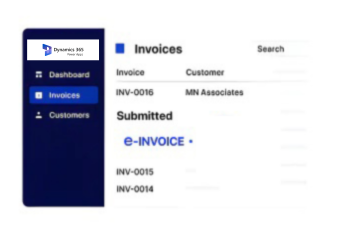
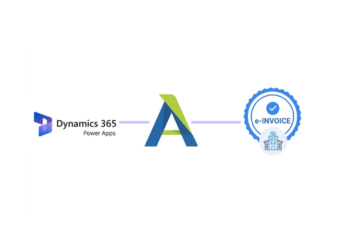
Advintek’s Egypt e-Invoice connector exposes ETA registration, E-Seal, UUID, and archiving data through a connection Microsoft Power Apps can build on, so IT and operations teams create custom compliance dashboards, approval forms, and mobile data-collection apps without waiting on a core system update.
- Connects Power Apps to Egypt e-invoice compliance data
- Builds custom dashboards for ETA registration status
- Powers mobile forms for missing product codes
- Digitizes approval processes without added development work
Why Microsoft Power Apps Customers Rely on Advintek
- Automatic Compliance Handling: Every entry a Power Apps solution generates gets ETA’s treatment automatically, with nothing reviewed invoice by invoice.
- Same Process Everywhere: Validation and clearance stay identical no matter which app or unit raised the record.
- Less Rework Needed: Chasing and resubmitting rejected invoices largely stops being anyone’s job.
- Real-Time Status Visibility: Real-time status makes catching a problem early far simpler than finding out later.
- Uniform Rules Everywhere: An invoice is treated the same whether it comes from one custom app or another.
- Rejections Become Rare: Getting the structure right the first time cuts down sharply on bounce-backs.
Complete Control Over Egypt E-Invoicing Workflows in One Platform
Early Issue Detection
Spot problems ahead of a failed clearance, work through guided fixes, and resend whole batches together rather than one record at a time.
Unified Filing Dashboard
Monitor filing status across every Microsoft Power Apps solution or unit from one dashboard, with live updates suited to your setup.
Ongoing Compliance Support
Stay covered as ETA's requirements shift, with a responsive team ready whenever an exception comes up.
Egypt e-Invoicing Compliance for Microsoft Power Apps Operations
Operations and IT teams building internal applications on Microsoft Power Apps often need visibility into Egypt’s ETA compliance status without waiting for their core finance system to add a screen. Advintek’s connector makes that compliance data accessible, so teams build lightweight apps that track registration, formatting, and archiving in real time.
- Gives Power Apps builders live ETA compliance data
- Removes the wait for core system updates
- Supports lightweight internal compliance tracking apps
- Speeds up digital transformation for finance workflows
Woven Into Microsoft Power Apps
Build custom Egypt ETA compliance dashboards and approval apps directly inside Microsoft Power Apps.
Not building on Power Apps? Advintek's Egypt e-invoicing connector integrates with a wide range of ERP and low-code platforms.
Ready e-Invoice System
Frequently Asked Questions Power Apps e-Invoicing Egypt
Does Microsoft Power Apps handle Egypt's e-invoicing requirements on its own?
No, Microsoft Power Apps has no built-in link to ETA’s clearance systems or required formatting, so a connector like Advintek remains necessary.
What does the Microsoft Power Apps e-invoicing integration involve?
It pulls billing data out of your Microsoft Power Apps solution and routes it through Advintek for JSON formatting, validation, and submission to ETA.
Do I need to change how I use Microsoft Power Apps?
No, your existing app workflows carry on unchanged — Advintek manages formatting, checking, and filing behind the scenes.
We invoice across multiple currencies through our Microsoft Power Apps solution — does that complicate Egypt filing?
No, Advintek converts and represents figures the way ETA expects at clearance, so multi-currency entries file the same as single-currency ones.
We run several custom apps built on Microsoft Power Apps — does the Egypt connector cover all of them?
Yes, Advintek connects centrally, so clearance runs the same regardless of which custom app generated the billing entry.